Both approaches produced a responsive landing page. With Perture, the agent also retrieved the brand’s layout rules and checked the implementation against them. The fresh connected layout passed at ten widths; a source check caught one font filename issue.
The task: build a real landing-page hero
We asked an AI coding agent to build a responsive Perture hero for designers and founders using AI to build digital products. The page needed a headline, supporting copy, an original visual, and an “Explore the demo” action. All visible copy had to be in English, with desktop and mobile previews.
The October 16 run received brand files manually. The October 26 run and the fresh October 27 repeat could retrieve Perture T2 through the plugin. The comparison shows original browser captures from October 16 and October 27.
Read the core brief +
Use Sites to create a responsive landing page hero for Perture, aimed at designers and founders building digital products with AI coding agents. Use the Perture brand materials available to you. Include a clear headline, supporting text, a visual, and an “Explore the demo” call to action. Write all visible copy in English and show me how the hero looks on desktop and mobile.
The connected prompts selected Perture T2. The fresh repeat preserved its adapted prompt byte for byte. Dates, brand snapshots, and tools differed: this is an exploratory field study, not a controlled A/B benchmark.
What the agent could read
The manual run had official logos, Rethink Sans, a four-color palette, and selected icons. It could use those assets, but still had to choose how to compose the page and implement the interaction.
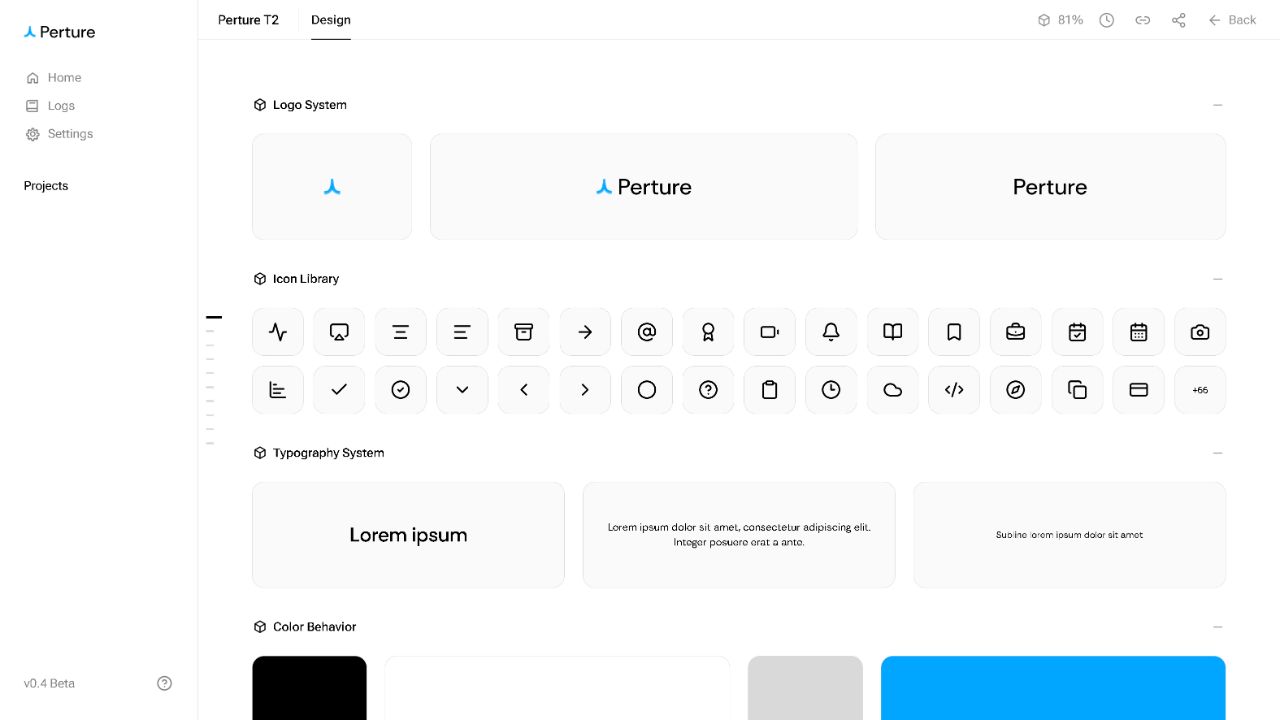
Perture T2 added output-specific instructions: which logo to use on a light canvas, how to use illustration references, how to order content on mobile, and which grid recipe to follow. These choices live alongside the assets on the Brand Page.
| Step | Without Perture | With Perture · fresh run |
|---|---|---|
| Brand input | Supplied logo files, Rethink Sans, four colors, and selected icons. | Selected brand, published context, output references, and an interface plan retrieved through Preview MCP. |
| Composition | The agent inferred the headline, two-column layout, background effects, and concept illustration. | The plan supplied responsive layout regions, alignment and gap limits, official assets, and illustration references. |
| Implementation | HTML, CSS, and JavaScript, including an interactive concept preview. | Fresh HTML, CSS, copy, and original artwork; no previous output source or generated image reused. |
| Review | Owner-authenticated browser review at desktop and mobile sizes; no official Brand Page contract validation. | Source and traceability checks, ten local responsive widths, served-source binding, and owner-authenticated browser review. |
Compare the grid, organization, and illustration
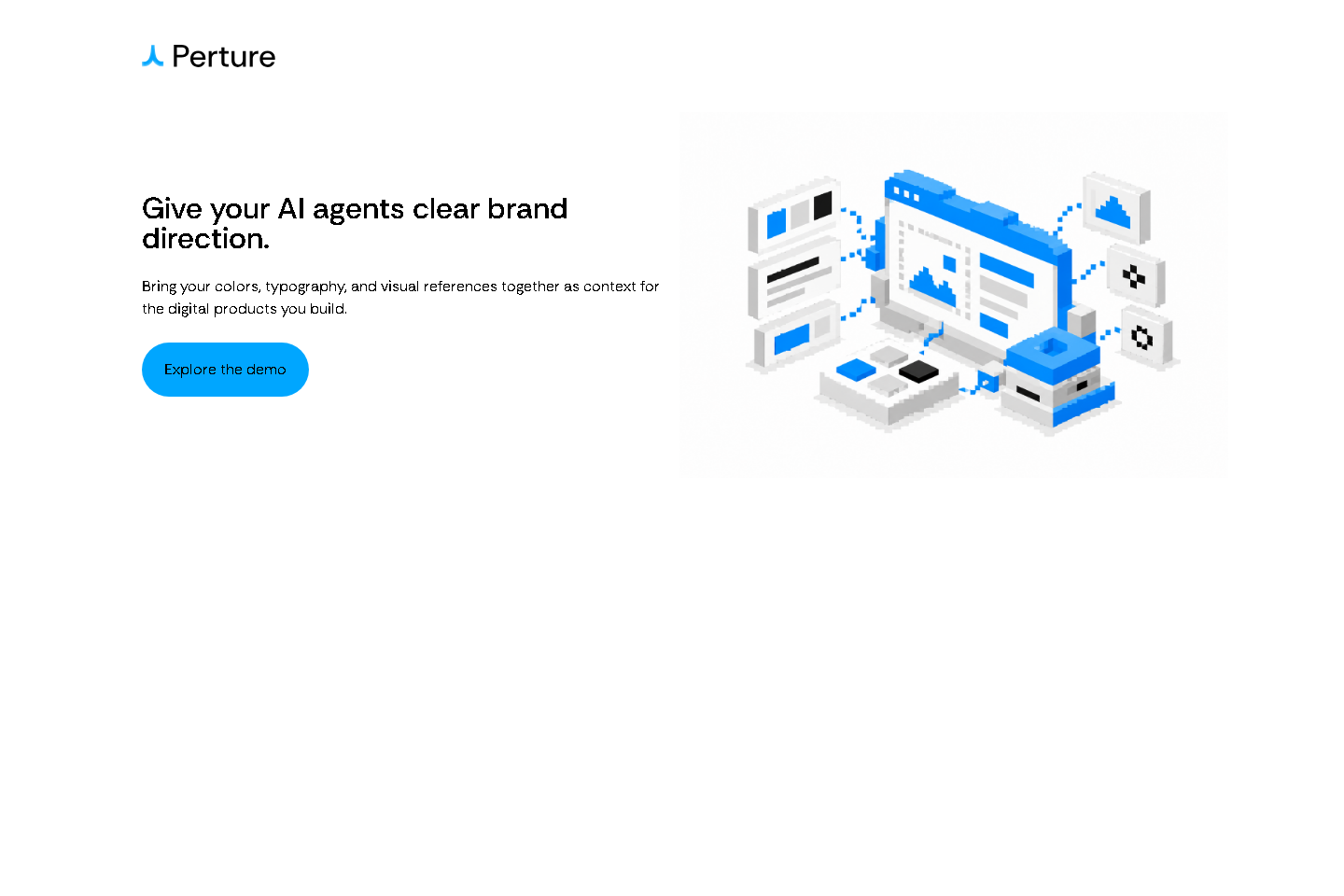
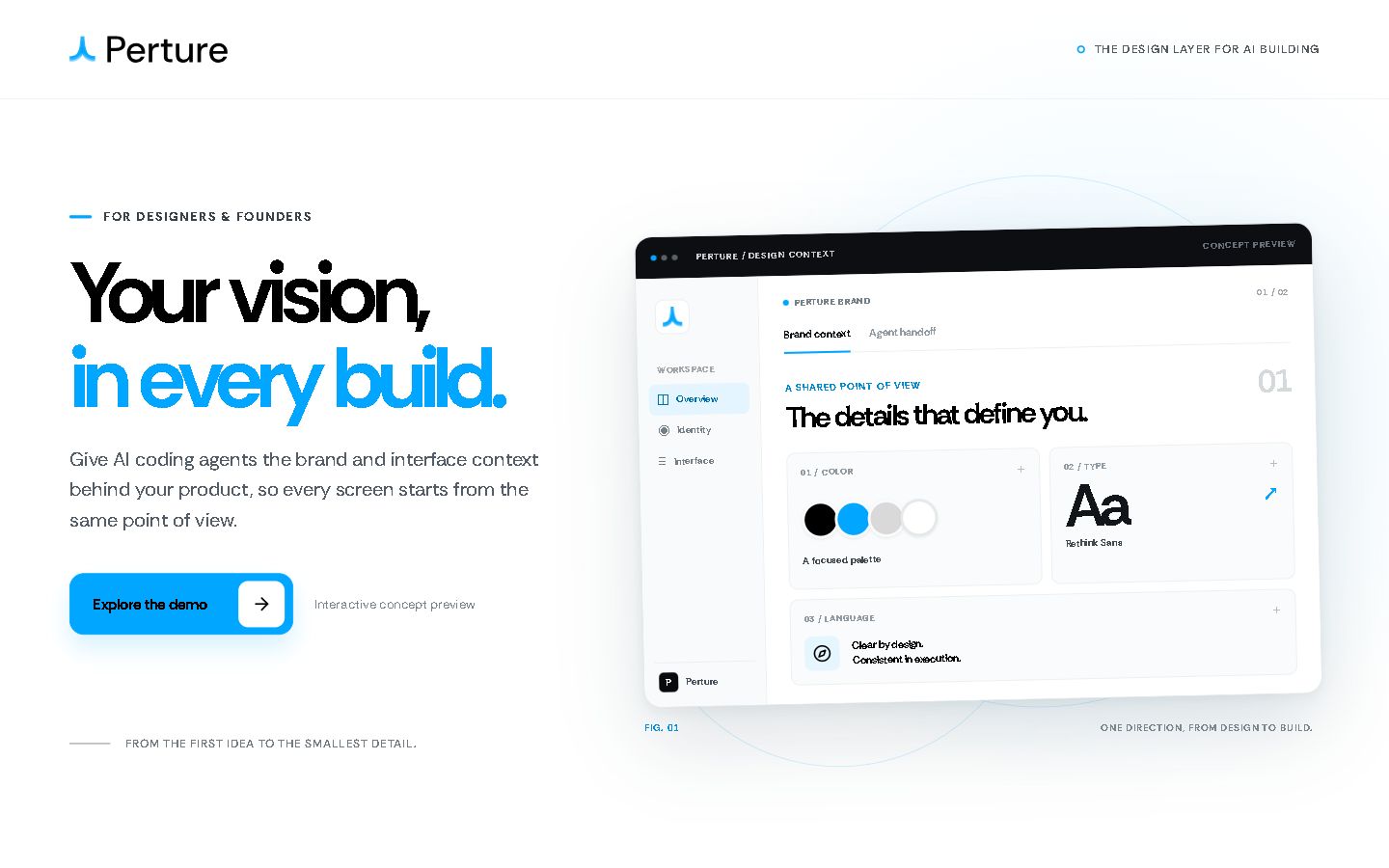
These are new captures of the two original implementations at matching viewport sizes. Switch views to inspect the layout tracks, the order of the content, and the visual each agent created.
The manual page uses two content columns. The connected page implements the eight-track desktop recipe. Blue bands show the measured tracks in each original layout.
Full-page captures at matched viewport widths; the white frame accommodates different page lengths.
Compare the code that was delivered
The source reveals differences that a screenshot cannot. In the manual output, the demo action opens a conceptual section inside the page. The fresh connected output links to Preview onboarding. Its markup also records the selected layout recipe and primary regions.
<a class="primary-cta" id="demo-trigger" href="#demo">
  <span>Explore the demo</span>
  <span class="cta-arrow" aria-hidden="true"><img src="./assets/icons/arrow-right.svg" alt="" /></span>
</a>
<span class="demo-note">Interactive concept preview</span><a class="demo-link" href="https://aws-preview.perture.co/onboarding" target="_blank" rel="noopener noreferrer" data-perture-intent="action.demo">Explore the demo</a>The manual page opens a local concept preview. The connected page links to the real AWS Preview onboarding route. This is a concrete implementation difference, not a quality score.
These are excerpts from the delivered files. The connected implementation is new HTML and CSS. Recipe attributes make its intended layout traceable; they do not turn a native HTML button into an approved Figma component.
Compare what the agent reported
The manual report separates supplied assets from its own design decisions. The connected record adds source and geometry results. These different kinds of evidence are identified below.
It uses the supplied logo, Rethink Sans, icons, and brand colors.

I checked the live page at desktop and mobile sizes, including the CTA, loaded assets, and horizontal fit.
The report describes the supplied ingredients and the two rendered views. Its later audit explicitly records that the CTA is a concept preview and that no official Brand Page contract validation was performed.
    "source_passed": true,
    "traceability_passed": true,
    "geometry_passed": true,
The fresh run records source, asset traceability, and geometry as separate results. These checks passed after a filename correction; they do not establish artistic or executable Figma component fidelity.
A source pass means the implementation could be traced to the contract and assets. A geometry pass means the measured layout met the recorded limits. Neither result, by itself, establishes artistic fidelity.
The recorded results
| Check | Without Perture | With Perture · fresh run |
|---|---|---|
| Working output | A responsive, functioning landing-page hero. | A responsive, functioning landing-page hero. |
| CTA behavior | Opens the local Agent handoff concept panel. | Links to AWS Preview onboarding. |
| Recorded responsive evidence | Desktop 1440 × 900 and mobile 390 × 844; no horizontal overflow reported. | Ten widths from 320 to 3200 px passed the initial layout checks; zero layout adjustments recorded. |
| Source check | No official Brand Page contract validation recorded. | First source check rejected the font filename; the final source and traceability checks passed. |
| Recorded task time | 13m 47s. | 25m 08s for the fresh repeat. These runs include different work and cannot establish a speedup. |
How long the builds took
The connected fresh run took longer to complete. Its task included new artwork, retrieval and additional checks. Select either run to see its scope.
Recorded build time
Without Perture context. Original task turn, including implementation, publication, and browser inspection. The output used supplied logo, font, colors, and icons. The CTA opened a conceptual demo.
The check that caught an invisible issue
The initial source check rejected assets/rethink.ttf. Restoring the official filename, assets/RethinkSans-wght.ttf, resolved it. The font bytes and mobile, desktop, and wide captures stayed byte-identical. Layout, copy, and illustration did not change.
Which output loads faster for a visitor?
We served the original files from the same AWS Preview host and measured both pages in the same browser. This compares the delivered pages, including their original fonts and visuals.
Loading the original pages
1440 × 960 viewport · same browser and host · 5 repeated visits
With Perture has the lower median here. The observed ranges overlap, so this sample does not establish a clear speed advantage.
How we measured +
Original source and assets were served unchanged from the same AWS Preview host. Both pages used the same small measurement script. Five repeated visits per page and viewport alternated order; the browser cache was retained, with no imposed CPU or network slowdown. A mobile viewport is a width test in the same desktop browser, not a physical phone.
The measurement panel appears after the original page’s first content and load, so it cannot produce the page’s first paint. First-observed visits are retained separately in the download. These are lab observations of two different outputs, not field Core Web Vitals or a controlled comparison of AI generation.
Definitions: W3C Paint Timing and Navigation Timing.
The connected output uses less code, but its PNG illustration and font add more bytes. Page speed depends on those delivery choices as well as the code. This lab check describes these two outputs; it does not establish an inherent speed advantage for a tool.
Method and original evidence
This case documents one brief and three executions. It shows how connected brand decisions reached the implementation, and which checks made them inspectable. Repeated, matched tasks would be needed to measure a productivity gain.
Study scope and limits +
- Internal exploratory runs on different dates and brand snapshots. The environment and model state were not frozen to identical conditions.
- The fresh repeat generated new code, copy, and artwork. Owner context was not fully blind.
- The fresh run used the isolated Preview MCP. These findings do not establish availability of its updated workflow in production.
- Ten-width computed geometry came from local rendering of the checked source. Remote files were matched and the private Site opened as owner; this is not remote computed-layout attestation.
- Source and geometry passes do not establish artistic fidelity or approved executable Figma hero/button fidelity. The illustration includes tonal variations beyond four literal palette hex values.
- The current Brand Page screenshots explain where context is stored. They are not historical snapshots of either run.
- No matched human-labor, monetary-cost, or general time-saving result is claimed. A missing measurement is not a failed check.
Original files and measurement data +
Original ten-width layout measurements +
| Viewport | Text/image gap | Center offset | Layout result |
|---|---|---|---|
| 320 px | Stacked | Not applicable | Passed |
| 390 px | Stacked | Not applicable | Passed |
| 639 px | Stacked | Not applicable | Passed |
| 640 px | 19 px | 2.49 px | Passed |
| 960 px | 30 px | 2.50 px | Passed |
| 1280 px | 21 px | 2.50 px | Passed |
| 1440 px | 21 px | 2.50 px | Passed |
| 2399 px | 21 px | 2.50 px | Passed |
| 2400 px | 41 px | 2.50 px | Passed |
| 3200 px | 41 px | 2.50 px | Passed |